
Introduction
Instagram Stories have become one of the most popular ways to share daily moments, updates, and behind-the-scenes content. Since Stories disappear after 24 hours, many users assume they offer complete privacy. However, a common question keeps coming up: how to know if someone screenshots your Instagram story.
Whether you’re sharing personal memories, business promotions, or exclusive content, it’s natural to wonder if someone has saved your Story without your knowledge. The good news is that Instagram has clear rules about screenshot notifications, and understanding them can help you use the platform with confidence.
This guide explains exactly what Instagram does and doesn’t notify you about, clears up common myths, and shares practical privacy tips to help you stay in control of your content.
Does Instagram Notify You When Someone Screenshots Your Story?
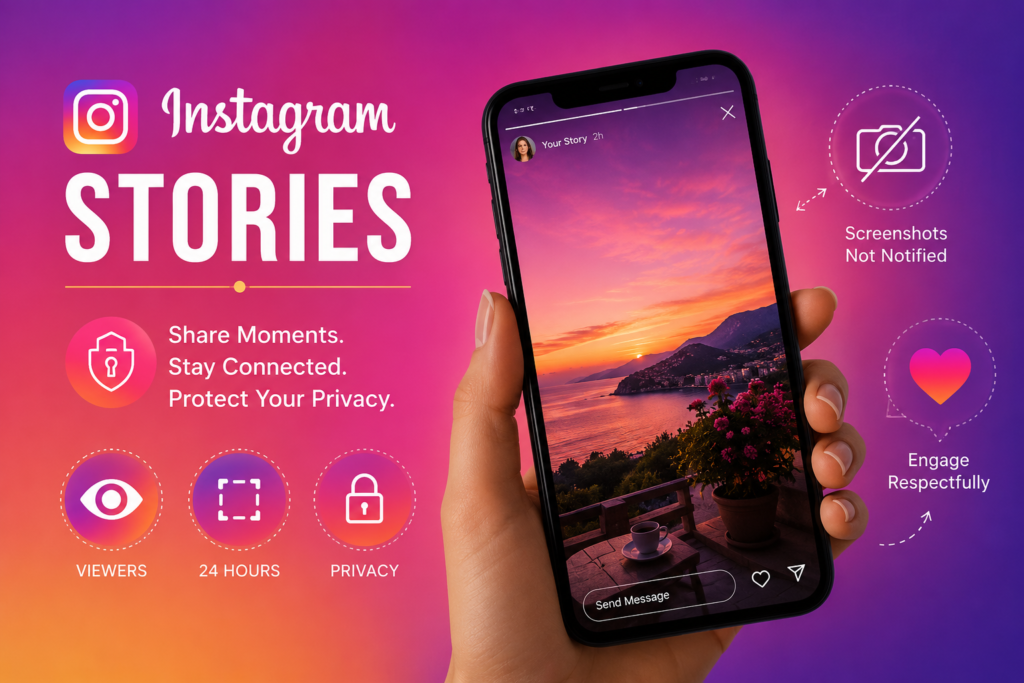
The short answer is no.
Instagram does not notify users when someone takes a screenshot of their Story. If a viewer captures your Story using their phone’s screenshot feature or screen recording tool, you will not receive any notification, and the person taking the screenshot will remain anonymous.
Likewise, if you take a screenshot of someone else’s Story, they will not be alerted either.
This policy has remained consistent for several years, despite ongoing rumors suggesting otherwise.
Why Do People Think Instagram Sends Screenshot Notifications?
Many users believe Instagram sends screenshot alerts because other social media apps do.
For example, Snapchat famously notifies users whenever someone screenshots a Snap or Story. Since Instagram frequently introduces features inspired by other platforms, people often assume the same rule applies.
Another reason is that Instagram briefly tested screenshot notifications for Stories in the past. During that limited experiment, some users saw notifications when their Stories were captured. However, Instagram discontinued the feature, and it is no longer part of the platform.
As a result, many outdated articles and social media posts continue spreading incorrect information.
Can You See Who Viewed Your Instagram Story?
Yes, Instagram allows you to see everyone who viewed your Story while it remains active.
To check your viewers:
- Open your Story.
- Swipe up from the bottom of the screen.
- Review the list of people who watched it.
This viewer list helps you understand your audience but provides no information about screenshots or screen recordings.
Once your Story expires, the viewer list is only available for a limited time if Story Archive is enabled.
Are Screen Recordings Detected?
No.
Instagram treats screen recordings the same way it treats screenshots.
If someone records your Story using the built-in screen recording feature on their device, Instagram does not notify you.
This means users can save Stories through screenshots or recordings without triggering any alerts.
What Instagram Does Notify You About
Although Instagram doesn’t notify Story screenshots, there are situations where notifications do exist.
These include:
Vanishing Photos and Videos in Direct Messages
If you send a disappearing photo or video through Instagram Direct using the camera option, Instagram will notify you if the recipient takes a screenshot or records the content.
This feature exists because disappearing messages are intended to be viewed only once or a limited number of times.
Message Reactions and Replies
Instagram also notifies users about:
- Story replies
- Emoji reactions
- Direct messages
- Mentions
- Tags
However, none of these notifications relate to screenshots of standard Stories.
Can Third-Party Apps Tell You Who Took a Screenshot?
No.
Many apps and websites claim they can reveal who screenshots your Instagram Story. These claims are misleading.
Instagram does not provide developers with access to screenshot information through its public systems. Because the data isn’t available, no legitimate app can detect Story screenshots.
Using these services may expose your account to privacy risks, including:
- Account theft
- Unauthorized access
- Personal data collection
- Spam activity
Avoid sharing your Instagram login credentials with unofficial apps promising hidden features.
How to Protect Your Instagram Stories
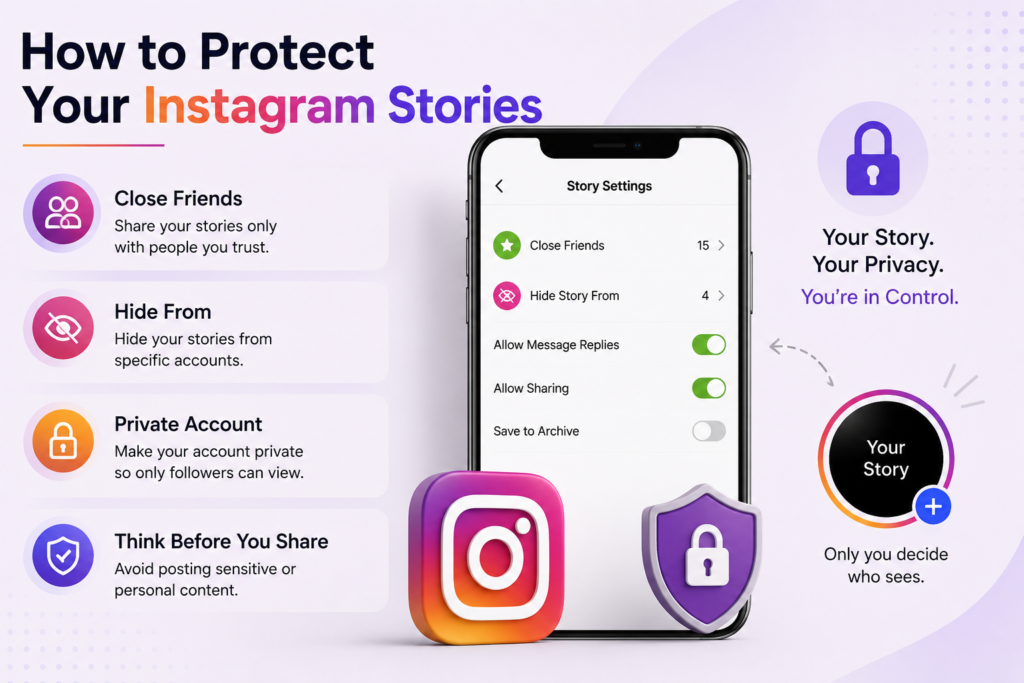
Since you can’t detect screenshots, the best approach is to control who can view your Stories.
Here are several effective privacy settings.
Use the Close Friends Feature
Instagram allows you to share Stories with a selected group of trusted people.
This is one of the safest ways to post personal updates without exposing them to your entire follower list.
Hide Stories from Specific Accounts
If there are certain users you don’t want viewing your Stories, Instagram lets you hide your Stories from individual accounts.
This setting works silently, so those users won’t know they’ve been restricted.
Make Your Account Private
A private account limits Story access to approved followers only.
This significantly reduces the chances of unknown users saving your content.
Think Before Posting
Even with privacy settings enabled, remember that anything shared online can potentially be saved.
If a photo or video is highly personal or sensitive, consider whether it needs to be posted publicly at all.
Common Myths About Instagram Story Screenshots
Several misconceptions continue circulating online.
Myth: Instagram Sends Screenshot Alerts
This is false.
Regular Story screenshots do not generate notifications.
Myth: Professional Accounts Can Detect Screenshots
Business and Creator accounts receive additional analytics, but screenshot information is not included.
Professional accounts cannot see who captured their Stories.
Myth: Screen Recording Is Different
Instagram treats screenshots and screen recordings the same way.
Neither action triggers a notification for regular Stories.
Myth: Secret Apps Can Reveal Screenshot Activity
No verified application has access to this information.
Any service claiming otherwise should be treated with caution.
What Happens If You Screenshot Someone Else’s Story?
Nothing happens.
The Story owner will not receive a notification, and your name won’t appear anywhere indicating that you captured the content.
However, respecting other people’s privacy is always important. Before sharing or reposting someone else’s Story elsewhere, it’s good practice to ask for permission.
Should You Be Worried About Story Screenshots?
For most users, screenshots are simply a way to save useful information, memorable photos, recipes, travel ideas, or inspirational quotes.
That said, creators, influencers, and businesses may share exclusive content that they don’t want copied.
Since Instagram cannot prevent screenshots entirely, the safest strategy is to avoid posting anything that would cause concern if someone saved it permanently.
Thinking carefully before sharing helps protect both your privacy and your online reputation.
Final Thoughts
If you’ve been searching for how to know if someone screenshots your Instagram story, the answer is straightforward. Instagram does not notify users when someone screenshots or screen records a regular Story. While you can see who viewed your Story, there is currently no feature that identifies who saved it.
Instead of relying on rumors or questionable third-party apps, focus on Instagram’s built-in privacy settings. Features like Close Friends, private accounts, and Story visibility controls give you greater confidence over who sees your content. By understanding how the platform actually works, you can enjoy sharing Stories while making informed decisions about your privacy.